
Build an AI Agent Without Coding: Simple Tools, Steps & Tips
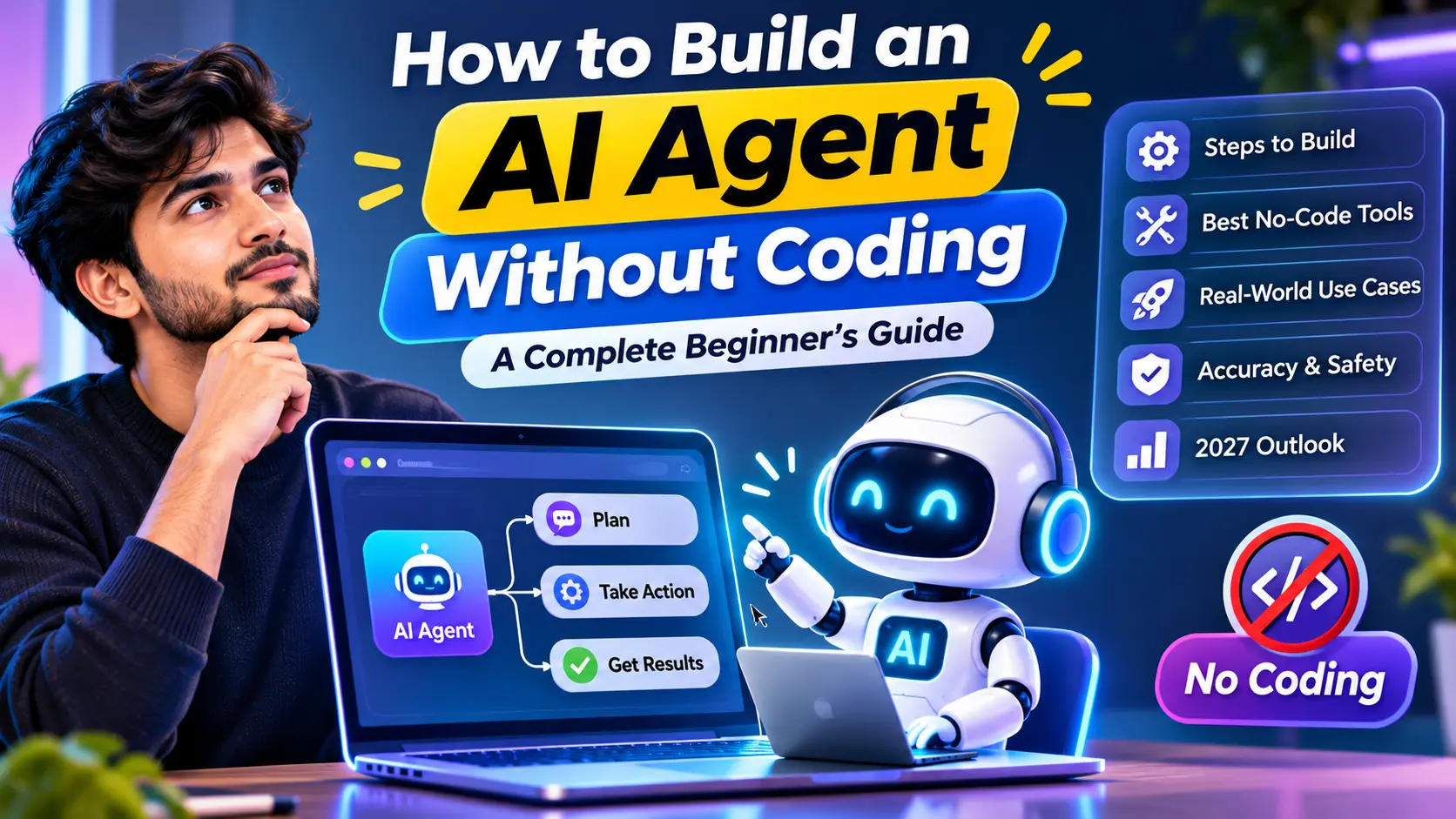
magine having an AI assistant that can understand a task, make decisions, use tools, and complete work for you. You might think building one requires programming knowledge. It doesn’t always. With today’s no-code AI platforms, beginners can create simple AI agents using visual workflows and clear instructions.
Why This Topic Matters
AI agents are becoming more useful for automation, productivity, customer support, research, and everyday tasks. Learning how to build one without coding can help students, freelancers, creators, and small businesses explore AI automation without needing advanced technical skills.
What You’ll Learn
- What an AI agent is
- How no-code AI agents work
- How to build your first agent
- Useful tools and workflows
- Common mistakes and limitations
- How AI agents may develop in 2027
Promise
By the end, you’ll understand the basic process of building a no-code AI agent and how to decide whether an AI agent is useful for your specific task.
Understanding AI Agents
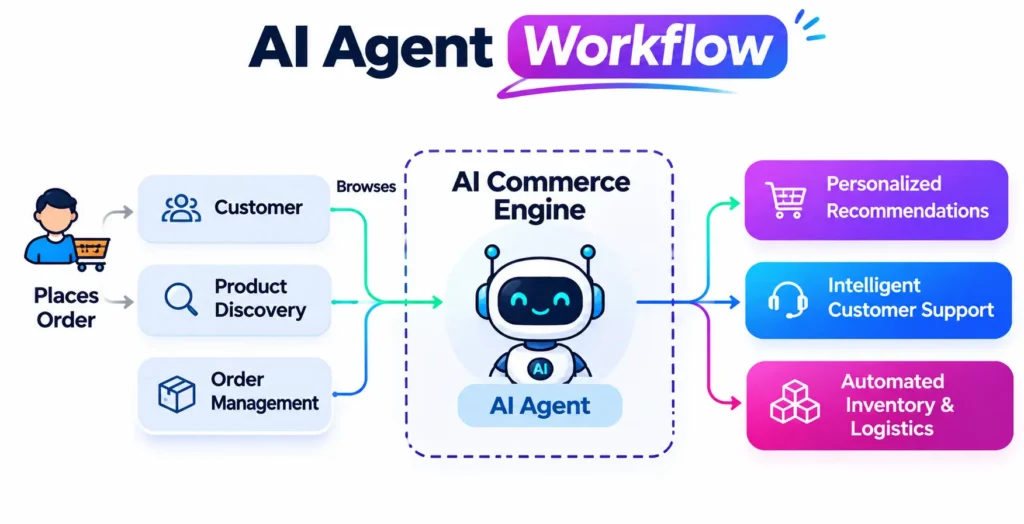
An AI agent is an AI system designed to understand a goal, decide what actions are needed, use available tools, and complete a task with less human involvement. Unlike a basic chatbot that mainly responds to prompts, an agent can follow a workflow and take actions based on instructions.
You do not always need coding skills to build one. No-code platforms can let beginners connect AI models, instructions, data, and actions through visual workflows.
AI agents can be useful for research, customer support, content workflows, lead management, repetitive office tasks, and personal productivity.
Myth vs Reality
| Myth | Reality |
|---|---|
| You must know programming | Many simple agents can be built with no-code tools |
| AI agents work perfectly | They can make mistakes and need testing |
| Every task needs an agent | Simple tasks may be better handled by normal AI tools |
Common Terms
Agent: AI system that performs tasks toward a goal.
Workflow: The sequence of actions the agent follows.
Tool: An external service the agent can use.
Trigger: The event that starts the workflow.
Problems, Challenges & Common Mistakes
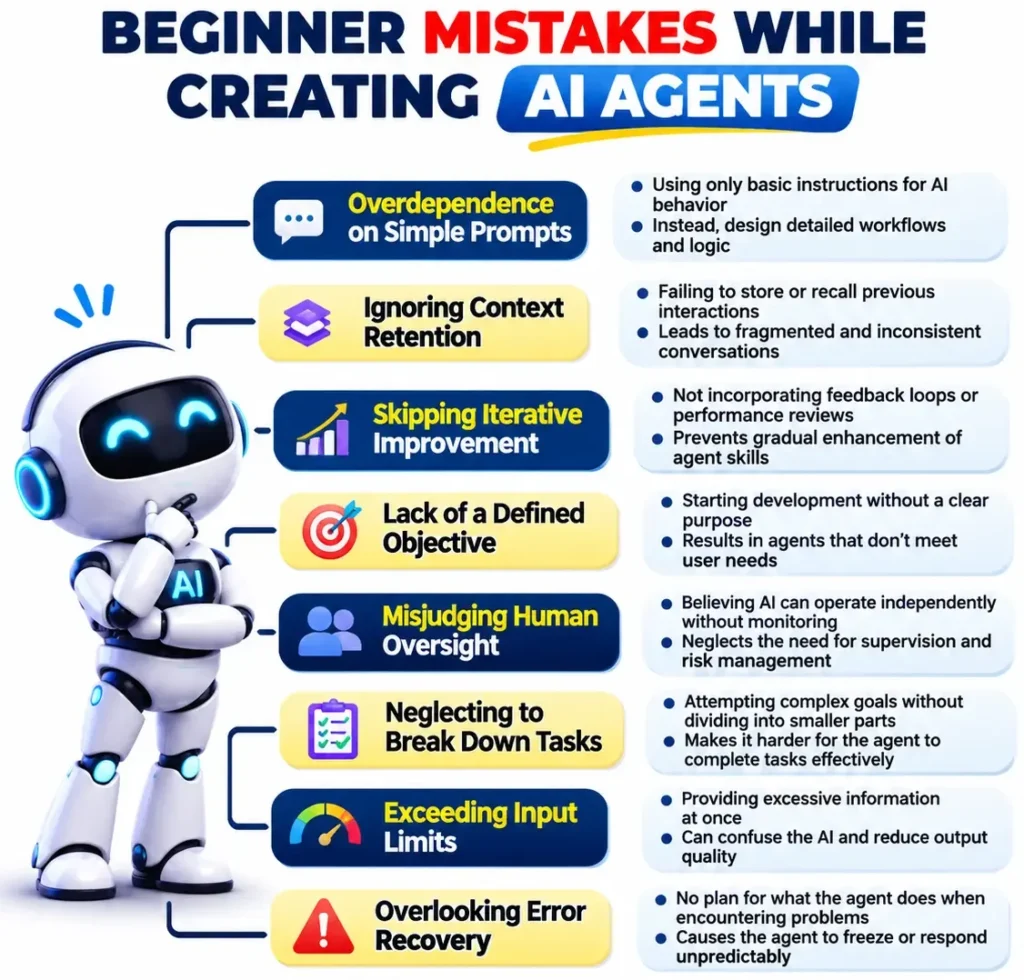
Building an AI agent without coding is easier than traditional development, but it still has practical challenges. The biggest issue is assuming that an agent will automatically understand every task and make the right decision.
Common Problems
Accuracy: Agents can misunderstand instructions, use incorrect information, or produce unreliable results.
Workflow complexity: Too many steps, tools, or unclear instructions can make an agent difficult to manage.
Cost: Some no-code platforms may have usage limits, paid plans, or additional AI/API costs.
Privacy: Avoid giving an agent sensitive personal, financial, or confidential business information unless you understand how that data is handled.
Over-automation: Not every task needs an AI agent. Automating a simple task can sometimes create unnecessary complexity.
Quick Checklist
Before launching an agent, check its goal, instructions, tools, data access, error handling, privacy, and human-review process.
How to Build an AI Agent Without Coding
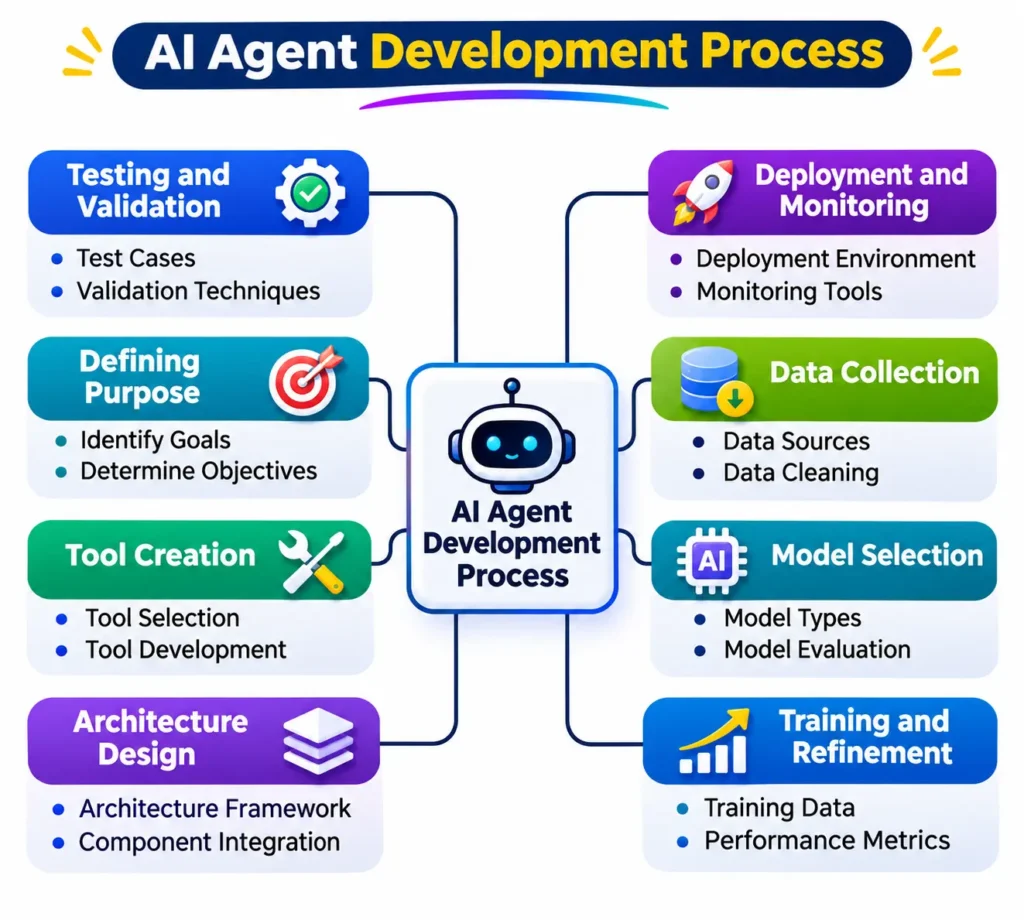
You can create a simple AI agent by combining an AI model with clear instructions, tools, and a defined workflow. The exact buttons may differ between platforms, but the basic process is similar.
Step 1: Choose One Goal
Decide exactly what your agent should do, such as answering customer questions or summarizing research.
Step 2: Choose a No-Code Platform
Select a platform that supports AI agents or visual automation. Check its features, limits, and pricing before starting.
Step 3: Write Clear Instructions
Tell the agent its role, task, rules, expected output, and what it should do when information is missing.
Step 4: Connect Useful Tools
Add only the tools it actually needs, such as a knowledge source, email service, database, or search function.
Step 5: Test and Improve
Give the agent different real-world examples. Check its answers, actions, and errors before allowing it to handle important tasks automatically.
Tip: Start with a small workflow. A simple, reliable agent is better than a complicated one that frequently fails.
Best No-Code AI Agent Tools
The best platform depends on what you want your AI agent to accomplish. Instead of choosing a tool only because it is popular, compare its ease of use, integrations, automation features, AI capabilities, pricing, and data controls.
| Tool | Best For | Key Strength | Limitation |
|---|---|---|---|
| Zapier | Business automation | Many app integrations | Advanced automation can become costly |
| Make | Visual workflows | Flexible automation | Takes time to learn |
| n8n | Advanced automation | Powerful workflow control | Less beginner-friendly |
| Microsoft Copilot Studio | Business agents | Microsoft ecosystem integration | Best suited to Microsoft users |
| Google’s AI tools | Google-based workflows | Strong Google ecosystem | Features and availability can vary |
How to Choose
Beginners: Start with a simple visual platform such as Zapier.
Flexible workflows: Consider Make or n8n.
Businesses: Look at platforms that integrate with your existing software and provide appropriate security controls.
Always check the current pricing, usage limits, integrations, and AI features before choosing a platform because these can change over time.
Real-World Use Cases of AI Agents
AI agents become more useful when they solve a specific, repetitive problem. You do not need a complex setup to get started.
For Students
An agent can organize study material, summarize notes, create revision questions, or help build a study plan. Its answers should still be checked against reliable sources.
For Freelancers
Freelancers can automate repetitive work such as collecting client information, organizing project requests, drafting routine emails, or creating task lists.
For Content Creators
An agent can help research topics, organize content ideas, create outlines, and manage parts of a publishing workflow. Human editing remains important for quality and originality.
For SEO & Marketing
Agents can assist with keyword research, content briefs, competitor research, reporting, and repetitive data tasks. They should not replace human SEO judgment.
For Businesses
Businesses can use agents for customer-support workflows, lead qualification, internal knowledge searches, and routine administrative tasks.
Important: The more sensitive or important the task, the more human review should remain involved.
Accuracy, Privacy, Safety & Responsible AI
A no-code AI agent can save time, but it should not be trusted blindly. An agent may misunderstand a request, use incorrect information, or take an unexpected action if its instructions or connected data are incomplete.
What AI Can Safely Handle
AI agents are generally better suited to low-risk, repetitive tasks, such as organizing information, drafting content, summarizing documents, or preparing routine workflows.
What Humans Should Check
Important decisions involving money, legal matters, employment, health, confidential business information, or customer data should receive human review before action is taken.
Privacy Tips
- Do not provide unnecessary personal or confidential information.
- Check how the platform stores and processes your data.
- Review connected apps and permissions regularly.
- Give an agent only the access it actually needs.
Accuracy Tips
Ask the agent to identify uncertainty, verify important information, and avoid making unsupported claims. Test it with normal, unusual, and incorrect inputs before using it in a real workflow.
Best approach: Automate repetitive work, but keep human control over high-impact decisions.
2027 Outlook — What Happens Next?
AI agents are moving from simple question-answering toward systems that can plan tasks, use multiple tools, and complete multi-step workflows. Based on current developments, this trend is likely to continue into 2027.
What Is Happening Now
No-code automation platforms are making AI workflows easier to create, while businesses are experimenting with agents for customer support, research, productivity, and internal operations. However, reliability, security, cost, and human oversight remain important challenges.
What May Happen in 2027
AI agents may become easier to configure and more capable of working across different applications. Businesses may also expect agents to handle more routine workflows with less manual input. This is a forecast, not a guaranteed outcome.
What You Should Prepare For
- Learn how to design clear AI workflows.
- Understand basic automation concepts.
- Improve your ability to verify AI outputs.
- Learn about AI privacy and security.
- Focus on skills that require judgment and decision-making.
For beginners, the biggest opportunity may not be building the most advanced agent, but learning where an AI agent can genuinely save time without creating unnecessary risk.
AIFastGrow’s Practical Take
Building an AI agent without coding can be a practical way to start learning AI automation. You do not need to create a complicated system from day one. Start with one clear problem, a simple workflow, and limited tool access.
AI agents are most useful when they handle repetitive tasks that follow clear rules. They are less suitable when a task requires constant human judgment, sensitive decisions, or highly accurate information.
Before automating a workflow, test the agent with different situations and check its results carefully. Also review the platform’s pricing, integrations, permissions, and privacy practices.
Our Practical Advice
Start small, measure whether the agent actually saves time, and improve the workflow based on real results. More automation is not always better automation.
Natural AIFastGrow CTA
Want to explore more practical ways to use AI? Explore AIFastGrow for AI guides, useful tools, automation ideas, and easy-to-understand AI tutorials.
Final Thought
Building an AI agent without coding is now possible for beginners. Start with a simple task, use a suitable no-code platform, test the workflow, and keep human review where accuracy or safety matters.
FAQs
1. Can I build an AI agent without coding?
Yes. No-code platforms can help you create basic AI agents using visual workflows and instructions.
2. What is the easiest way to build an AI agent?
Start with a simple goal and use a visual automation platform that supports AI workflows.
3. Are no-code AI agents free?
Some platforms offer free options, but features, usage limits, and pricing vary.
4. Are AI agents always accurate?
No. They can produce incorrect information or make unexpected decisions, so important outputs should be checked.
5. What can an AI agent do?
It can perform tasks such as research, data organization, customer support, content workflows, and repetitive automation.